When your API relies on external services, failures are inevitable. HTTP calls can fail for many reasons, such as network interruptions, service overloads, temporary outages, etc. To handle these kinds of transient failures, since .NET 8 we can make use of the Microsoft.Extensions.Http.Resilience package, which contains resilience mechanisms for HttpClient built on the Polly framework.
Polly is an open-source .NET library designed for resilience. It wraps your HTTP calls with strategies such as retry, circuit breaker, timeout, and more. This is the first article in a series where I present how to build a resilient .NET Web API with Polly.
This is the first article in the series "Building a Resilient .NET Web API." In this article, I present different resilience strategies, demonstrate how to get started by implementing a simple retry strategy in a .NET 10 Web API, and show how it improves calls to an unreliable service.
The Problem: Transient Faults in HTTP Calls
When working with distributed systems, your application depends on external services, such as a database, a third-party API, or another service or microservice in your architecture. Any of these dependencies can become temporarily unavailable, and when that happens, a simple HttpClient call will fail and return an error to the user, even if the service would have been available again a second later.
Without any resilience strategy, your application has no way to recover from these temporary failures. A single failed request propagates up to the caller, and the user receives an error. This is where Polly comes in and does a great job.
Microsoft.Extensions.Http.Resilience & Polly
Starting with .NET 8, Polly has been officially integrated into Microsoft’s HTTP resilience stack through the Microsoft.Extensions.Http.Resilience package. This integration makes it much easier to apply resilience patterns to HttpClient using IHttpClientFactory, without needing to wire everything up manually.
Polly is a .NET library that provides resilience and transient-fault-handling capabilities. It is designed to handle transient failures. It lets you define resilience pipelines, which are basically a set of strategies that run automatically around your code. With Polly, you can configure resilience on your HttpClient without writing retry loops or cluttering your endpoints with error-handling logic.
These are the core concepts in Polly:
- Resilience Strategy: A single behaviour applied to an operation, such as retrying a failed request, breaking a circuit to a faulty service or enforcing a timeout. It can be used on its own or also combined with other strategies.
- Resilience Pipeline: A combination of strategies executed in sequence. For example, you can configure a pipeline that first applies a timeout, then a retry, and finally a circuit breaker.
- Resilience Pipeline Builder: The fluent API used to configure and compose these pipelines. It provides a structured way to define how strategies are combined and in which order they run, making your resilience configuration easy to read, reuse, and maintain.
Available Resilience Strategies
There are some strategies that you can use to handle failures gracefully and recover automatically, for that Polly provides the following built-in strategies:
- Retry: Automatically retries failed requests a specified number of times, with configurable delays between attempts (constant, linear, or exponential backoff).
- Circuit Breaker: Prevents repeated calls to a failing service. It tracks failures and temporarily stops sending requests to a service that is consistently failing, giving it time to recover.
- Timeout: Cancels an operation if it takes longer than a configured duration, preventing your application from waiting indefinitely.
- Fallback: Returns a predefined default value or executes an alternative action when a request fails.
- Hedging: Sends the same request to multiple endpoints concurrently and uses the first successful response, reducing overall latency.
- Rate Limiter: Limits the number of concurrent requests to prevent overloading downstream services.
In the next articles of this series, I will go through each of these strategies in more detail. For this article, we will focus on setting up the project and applying a simple Retry strategy.
Demo Project Setup
For demonstration purposes, I'm going to create a solution with two Web API projects:
- HttpResilienceDemo.UnreliableWeatherApi: A Web API that simulates an unreliable service. It randomly returns HTTP 500 errors for most requests.
- HttpResilienceDemo.ResilientApi: A Web API that calls the UnreliableWeatherApi. We will first see it fail without Polly, and then add a retry strategy to make it resilient.
Let's start by creating the solution and both projects:
dotnet new sln -n HttpResilienceDemo
dotnet new webapi -n HttpResilienceDemo.UnreliableWeatherApi -o src/HttpResilienceDemo.UnreliableWeatherApi --use-controllers --no-openapi
dotnet new webapi -n HttpResilienceDemo.ResilientApi -o src/HttpResilienceDemo.ResilientApi --use-controllers --no-openapi
dotnet sln add src/HttpResilienceDemo.UnreliableWeatherApi
dotnet sln add src/HttpResilienceDemo.ResilientApi
I also updated the applicationUrl on the launchSettings.json file for the ResilientApi to use port 5002 and on for the UnreliableWeatherApi I updated to be 5001.
{
  "$schema": "https://json.schemastore.org/launchsettings.json",
  "profiles": {
    "https": {
      "commandName": "Project",
      "dotnetRunMessages": true,
      "launchBrowser": false,
      "applicationUrl": "https://localhost:5002",
      "environmentVariables": {
        "ASPNETCORE_ENVIRONMENT": "Development"
      }
    },
    // ...
}
{
"$schema": "https://json.schemastore.org/launchsettings.json",
"profiles": {
"https": {
"commandName": "Project",
"dotnetRunMessages": true,
"launchBrowser": false,
"applicationUrl": "https://localhost:5001",
"environmentVariables": {
"ASPNETCORE_ENVIRONMENT": "Development"
}
},
// ...
}
}
Creating the Unreliable Service
The UnreliableWeatherApi simulates an external service that fails most of the time. For that, the following logic was implemented in the WeatherController:
[ApiController]
[Route("api/[controller]")]
public class WeatherController : ControllerBase
{
    [HttpGet]
    public IActionResult Get()
    {
        if (Random.Shared.Next(1, 4) == 1)
        {
            return Ok(new { Temperature = 25, Summary = "Sunny" });
        }

            return StatusCode(500);
        }
    }
}- On line 8, there is a condition that generates a random number between 1 and 3. When the result is 1 (approximately 33% of the time), the request succeeds.
- On line 10, a successful response with weather data is returned.
- On line 13, for the remaining requests (approximately 67%), a 500 Internal Server Error is returned.
This means roughly seven out of every ten requests to this endpoint will fail.
Calling the Service Without Http.Resilience
Before adding the resilience package, let's see what happens when we call the UnreliableWeatherApi without any resilience strategy.
Below you can see the WeatherController for the ResilientApi without using Microsoft.Extensions.Http.Resilience:
[ApiController]
[Route("api/[controller]")]
public class WeatherController : ControllerBase
{
    private readonly IHttpClientFactory _httpClientFactory;

    public WeatherController(IHttpClientFactory httpClientFactory)
    {
        _httpClientFactory = httpClientFactory;
    }

    [HttpGet]
    public async Task<IActionResult> Get()
    {
        var client = _httpClientFactory.CreateClient("UnreliableWeatherApi");
        var response = await client.GetAsync("/api/weather");

    if (response.IsSuccessStatusCode)
    {
        var content = await response.Content.ReadAsStringAsync();
        return Content(content, "application/json");
    }

        return StatusCode((int)response.StatusCode);
    }
}- We are using the
IHttpClientFactoryto create the HTTP client - The
Getmethod creates the named HttpClient and makes a single GET request to the UnreliableWeatherApi. If the request fails, the error is returned directly to the caller.
With this setup, approximately 67% of requests fail, returning a 500 error to the client, because there is no retry mechanism in place.
Adding the Resilience package
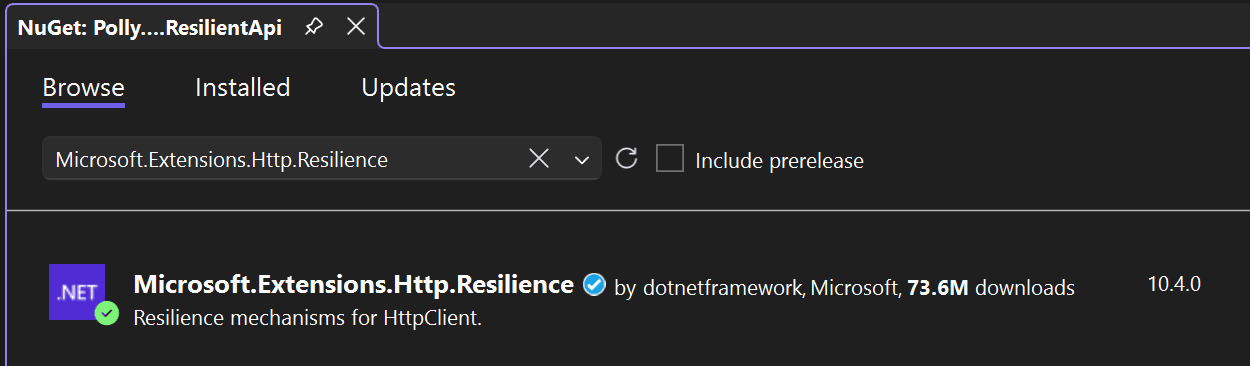
Now let's add the resilient package to make our Web API resilient. First, install the Microsoft.Extensions.Http.Resilience NuGet package into the ResilientApi:
In the Program.cs, let's now configure the resilient handler:
builder.Services.AddHttpClient("UnreliableWeatherApi", client =>
{
    client.BaseAddress = new Uri(builder.Configuration["UnreliableWeatherApi:BaseAddress"]!);
})
.AddResilienceHandler("exponential-retry", pipelineBuilder =>
{
    pipelineBuilder.AddRetry(new HttpRetryStrategyOptions
    {
        MaxRetryAttempts = 5,
        Delay = TimeSpan.FromSeconds(1),
        BackoffType = DelayBackoffType.Exponential,
        UseJitter = true,
        OnRetry = args =>
        {
            Console.WriteLine($"Retry attempt {args.AttemptNumber + 1} after {args.RetryDelay.TotalSeconds:F1}s delay. Status: {args.Outcome.Result?.StatusCode}");
            return default;
        }
    });
});- On lines 1 to 4, we configure an HttpClient named
UnreliableWeatherApiwith its base address from the configuration. - On lines 5 to 19, the
AddResilienceHandlermethod is chained to theHttpClientregistration. This adds a resilience pipeline namedexponential-retryto every request made by this client. - On line 9,
MaxRetryAttemptsis set to 5, meaning the request will be retried up to 5 additional times after the initial failure. - On line 10,
Delayis set to 1 second as the base delay between retry attempts. - On line 11,
BackoffTypeis set toExponential, so the delay increases with each attempt (1s, 2s, 4s). - On line 12,
UseJitteradds a small random variation to each delay. This prevents multiple clients from retrying at the exact same time, which could overwhelm the target service. - On lines 13 to 17,
OnRetryis a callback that logs each retry attempt to the console, showing the attempt number, delay duration, and the HTTP status code that triggered the retry. This allows you to see the resilience pipeline in action.
Note that the WeatherController class did not change at all. The resilience behaviour is configured at the HttpClient level in Program.cs, so every request made by this client automatically benefits from the retry strategy. This is one of the key advantages of Polly's integration with HttpClientFactory: your controllers remain clean and focused on their business logic.
Understanding the Retry Behaviour
With the retry configuration above, when a request to the UnreliableWeatherApi fails, the following happens:
- The initial request fails (500 error).
- Polly waits approximately 1 second and retries.
- If the retry fails, Polly waits approximately 2 seconds and retries again.
- If that retry also fails, Polly waits approximately 4 seconds and retries.
- If that retry also fails, Polly waits approximately 8 seconds and retries.
- If that retry also fails, Polly waits approximately 16 seconds and makes a final attempt.
- If all 6 attempts fail (initial + 5 retries), the error is returned to the caller.
Since the UnreliableWeatherApi succeeds approximately 33% of the time, the probability that all 6 attempts fail is roughly 0.67^6 ≈ 9%. This means the resilient endpoint will successfully return data in about 91% of requests, compared to only 33% without Polly.
Running the Demo
To run the demo, you need to start both applications.
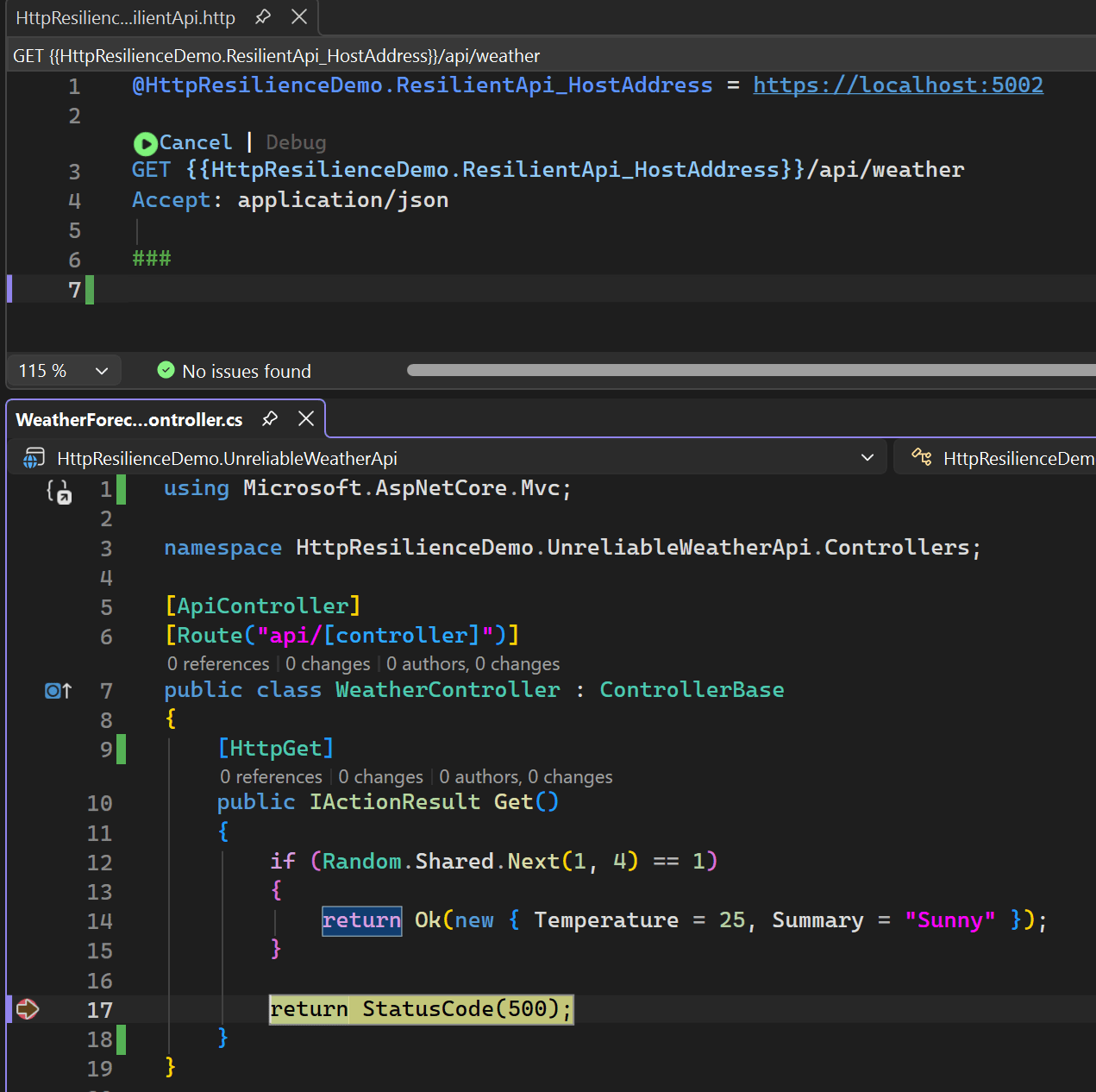
Now note that even when the request reaches the error 500, it will try again a few more times:
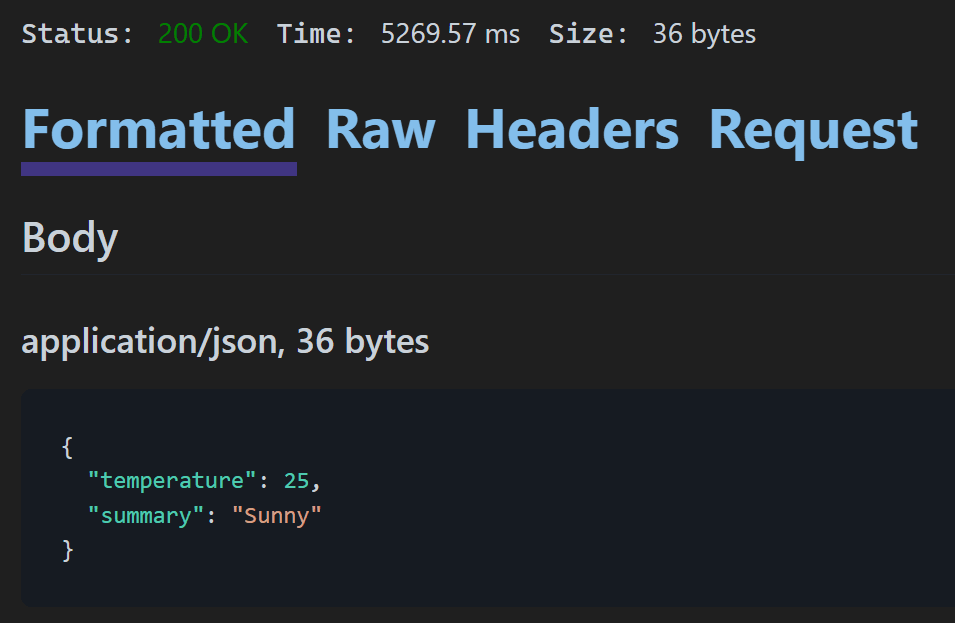
Second attempt also failed, and it tried again a few more time and got success:
As we also configure the OnRetry, we can check the retry attempts in the logs:
Retry attempt 1 after 1.1s delay. Status: InternalServerError
Retry attempt 2 after 1.4s delay. Status: InternalServerError
Retry attempt 3 after 0.5s delay. Status: InternalServerError
If you send several requests, you will notice that most of them succeed, even though the UnreliableWeatherApi fails the majority of the time. Polly handles the retries automatically behind the scenes.
Conclusion
In this article, we saw how to use the Microsoft.Extensions.Http.Resilience package to make your .NET Web API resilient to transient faults with just a few lines of configuration. By adding a retry strategy to the HttpClient in Program.cs, we were able to dramatically improve the success rate of calls to an unreliable service.
Resilience is worth considering for any application that relies on external HTTP services, since transient failures are inevitable in distributed systems. In the next articles, I will explore each resilience strategy in detail with practical examples.
This is the link for the complete project in GitHub: https://github.com/henriquesd/HttpResilienceDemo
If you like this demo, I kindly ask you to give a ⭐ in the repository.
Thanks for reading!
References